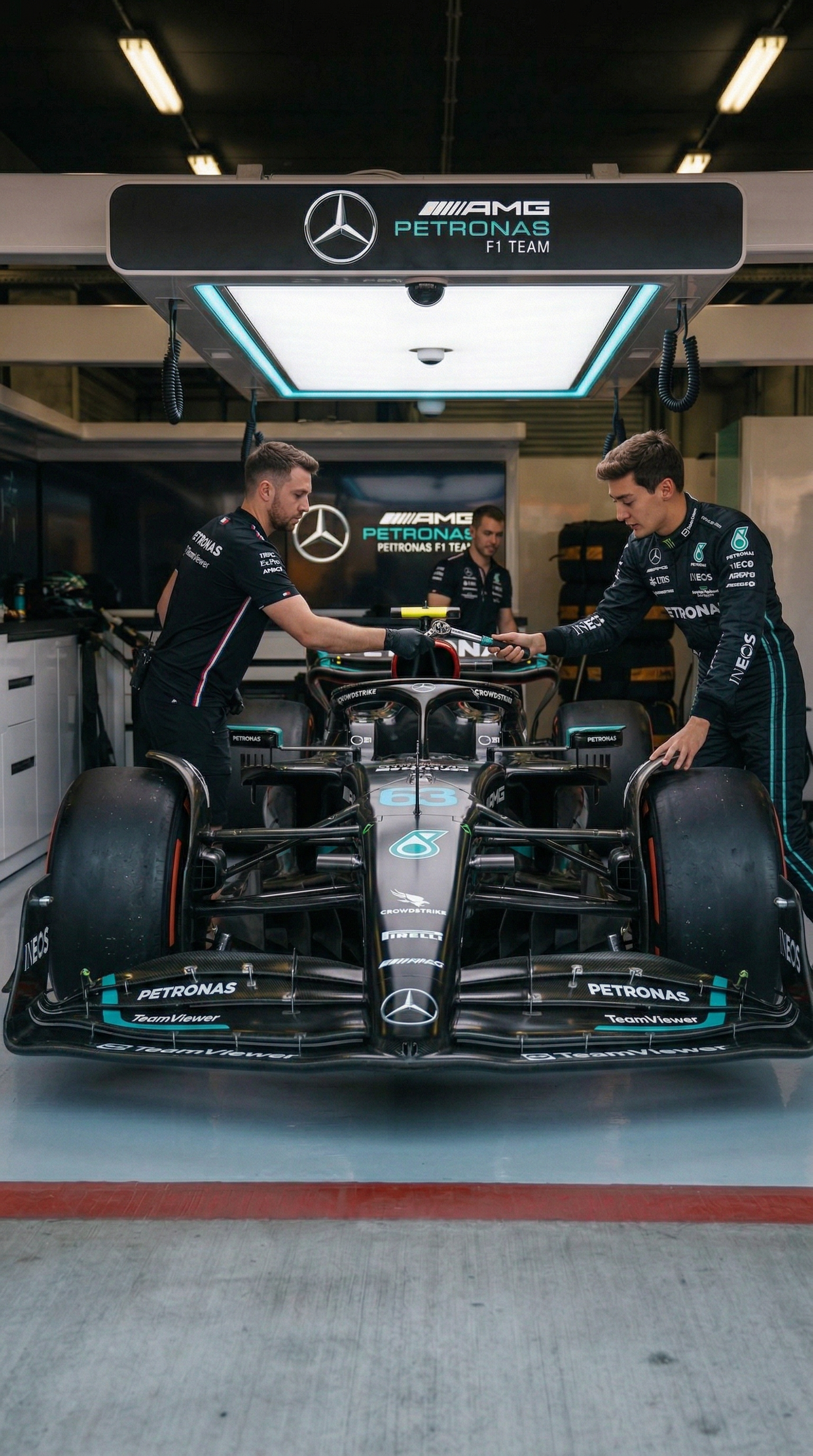
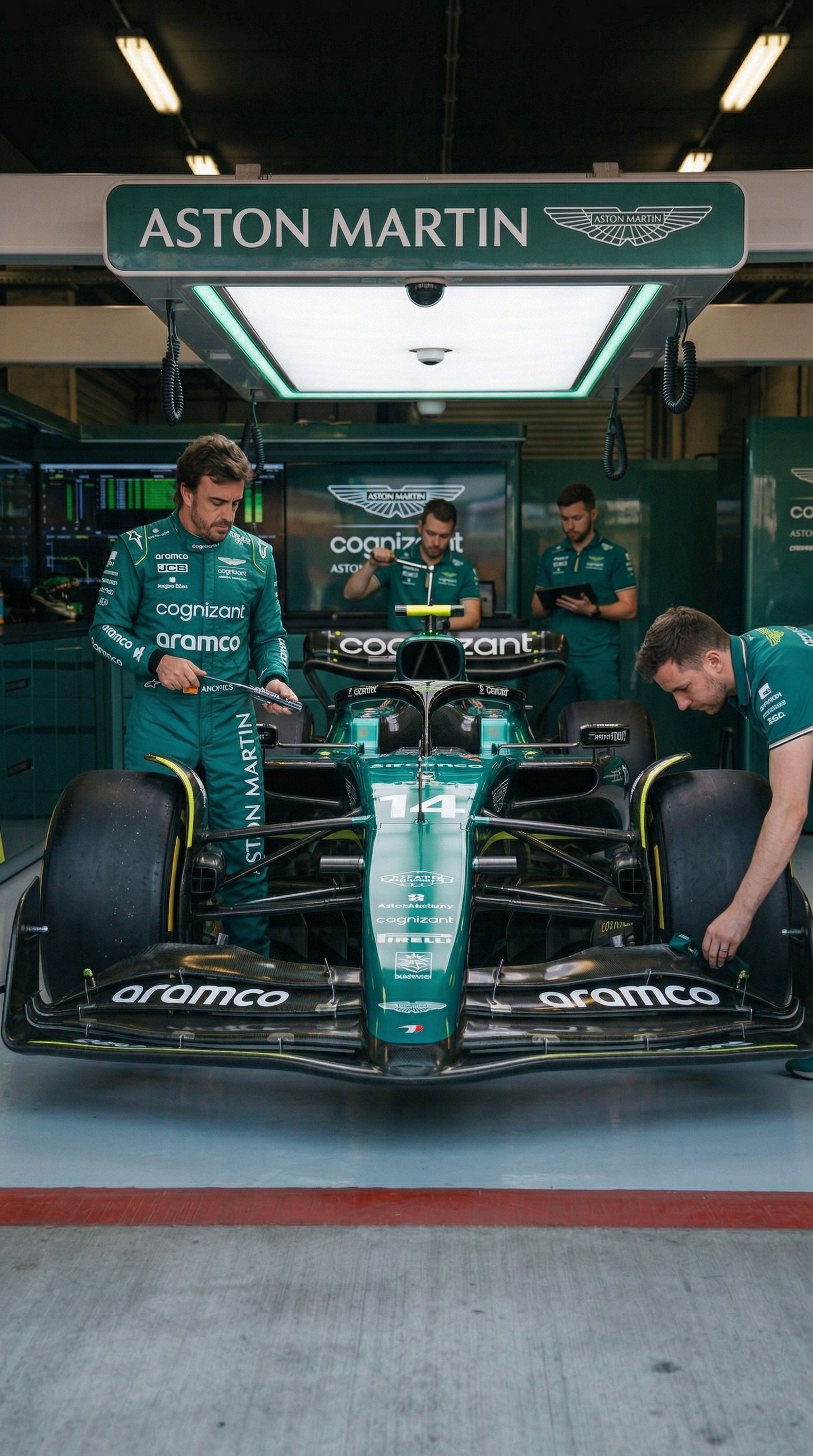
Go to OpenArt (CLICK HERE) and use the Nano Banana Pro model. You'll need two reference images for each generation.
🖼 Reference Images Ready for You
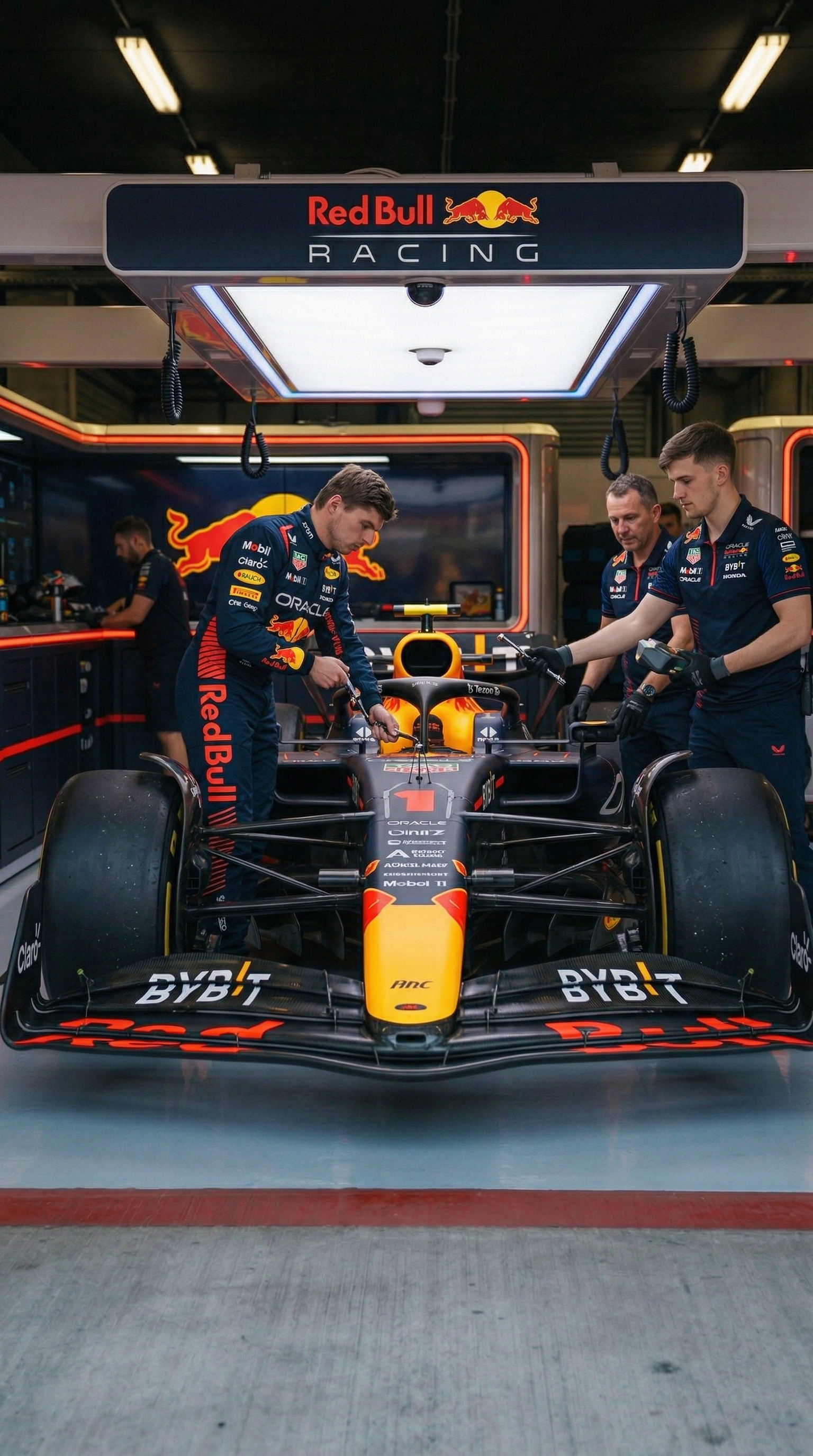
I've already created all the reference images with the F1 garages for you. You just need to download them and upload them as Image 1 (Reference). Then upload a photo of yourself or your character as Image 2.
Tool: Nano Banana ProAspect Ratio: 9:16
How It Works
Reference Image 1 F1 Garage
+
Reference Image 2 Your Character
=
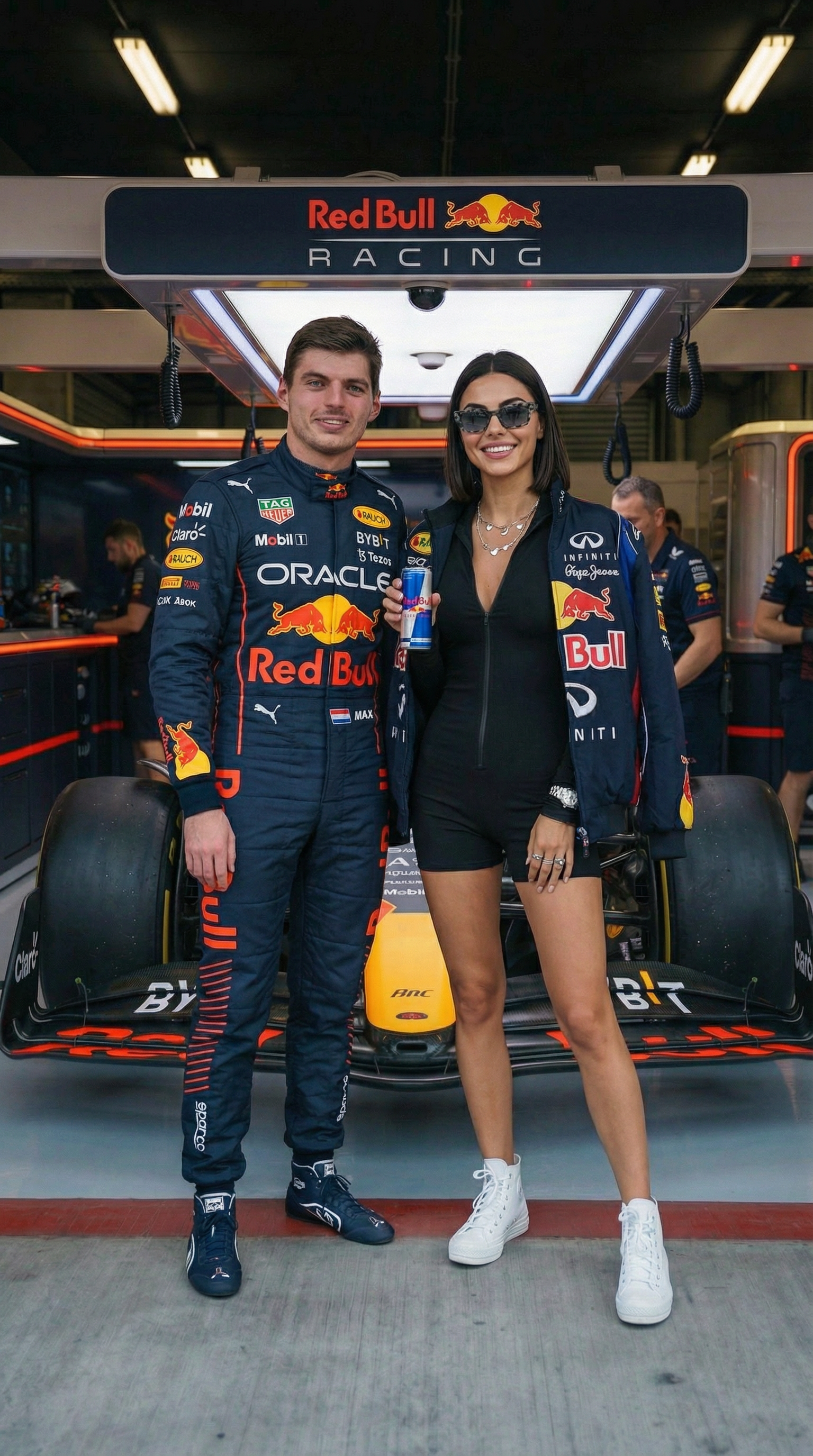
Result
💡 Tip
The clothing line is highlighted in teal — adjust it to match your style. Click 📋 to copy any prompt instantly.
Once you've generated the images, it's time to bring them to life. Use the video prompts for each team to animate the scene.
🎬 How Video Generation Works
Use the Reference Image 1 (the garage photo) as the starting frame. Use your generated image (the result from Step 1) as the end frame. Then paste the video prompt.
⬇️Save this reference image — you'll need it as Image 1
📋 Image Prompt — Red Bull
Keep the exact framing and perspective from img1. Max Verstappen (originally positioned left beside the car) is now standing together with the woman from img2, centered (IMPORTANT: in the middle of the image) directly in front of the nose cone.She is wearing a black top, red skirt and yellow high heels.Both are standing on the red line, posing for a photo. In the background, the mechanics from the right side are actively working on the car, but their positions, poses, and body orientations must be slightly different from img1. They should appear naturally repositioned, mid-action, with subtle movement variations — not identical to the original image.
Copied!
📋 Video Prompt — Red Bull
On the left side of the car, partially in shadow near the front-left wheel, a Formula 1 driver Max Verstappen in a dark blue racing overall with sponsor patches is already present. He appears focused, checking something near the front suspension, slightly bent forward. Then he steps around the front-left tire, and walks forward into the main light. A woman jogs in from the left side, and walks confidently toward the nose of the car. As she reaches the front, she slows down, turns toward camera with a natural smile. At that moment, The driver Max Verstappen joins her at the center front of the car.
⬇️Save this reference image — you'll need it as Image 1
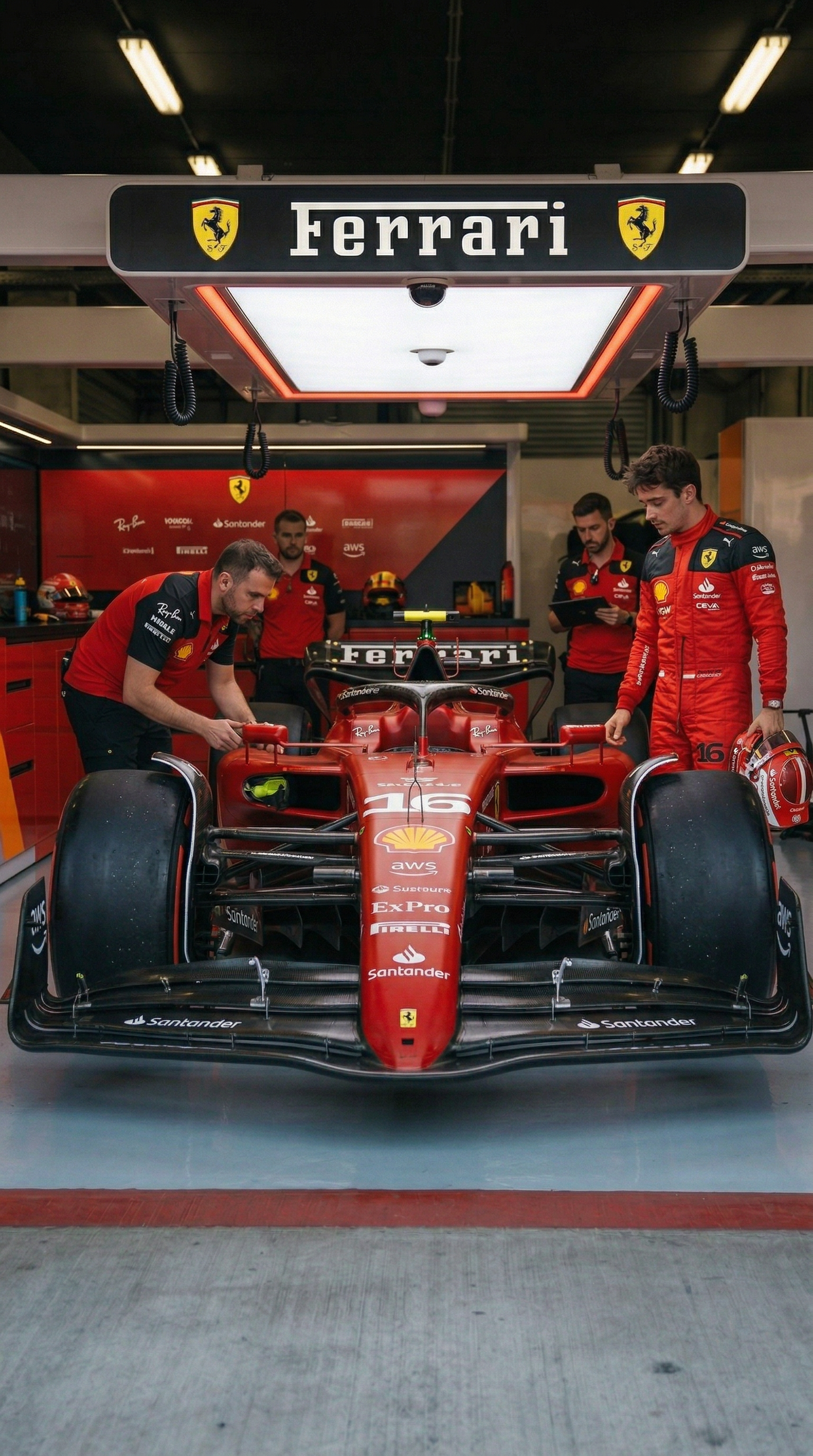
📋 Image Prompt — Ferrari
Keep the exact framing and perspective from img1. Charles Leclerc (originally positioned right beside the car) is now standing together with the woman from img2, centered (IMPORTANT: in the middle of the image) directly in front of the nose cone.She is wearing a white top, red skirt and red high heels.Both are standing on the red line, posing for a photo. In the background, the mechanics from the right side are actively working on the car, but their positions, poses, and body orientations must be slightly different from img1. They should appear naturally repositioned, mid-action, with subtle movement variations — not identical to the original image.
Copied!
📋 Video Prompt — Ferrari
On the right side of the car, partially in shadow near the front-left wheel, a Formula 1 driver Charles Leclerc in a red racing overall with sponsor patches is already present. He appears focused, checking something near the front suspension, slightly bent forward. Then he steps around the front-right tire, and walks forward into the main light. A woman jogs in from the left side, and walks confidently toward the nose of the car. As she reaches the front, she slows down, turns toward camera with a natural smile. At that moment, The driver Charles Leclerc joins her at the center front of the car.
⬇️Save this reference image — you'll need it as Image 1
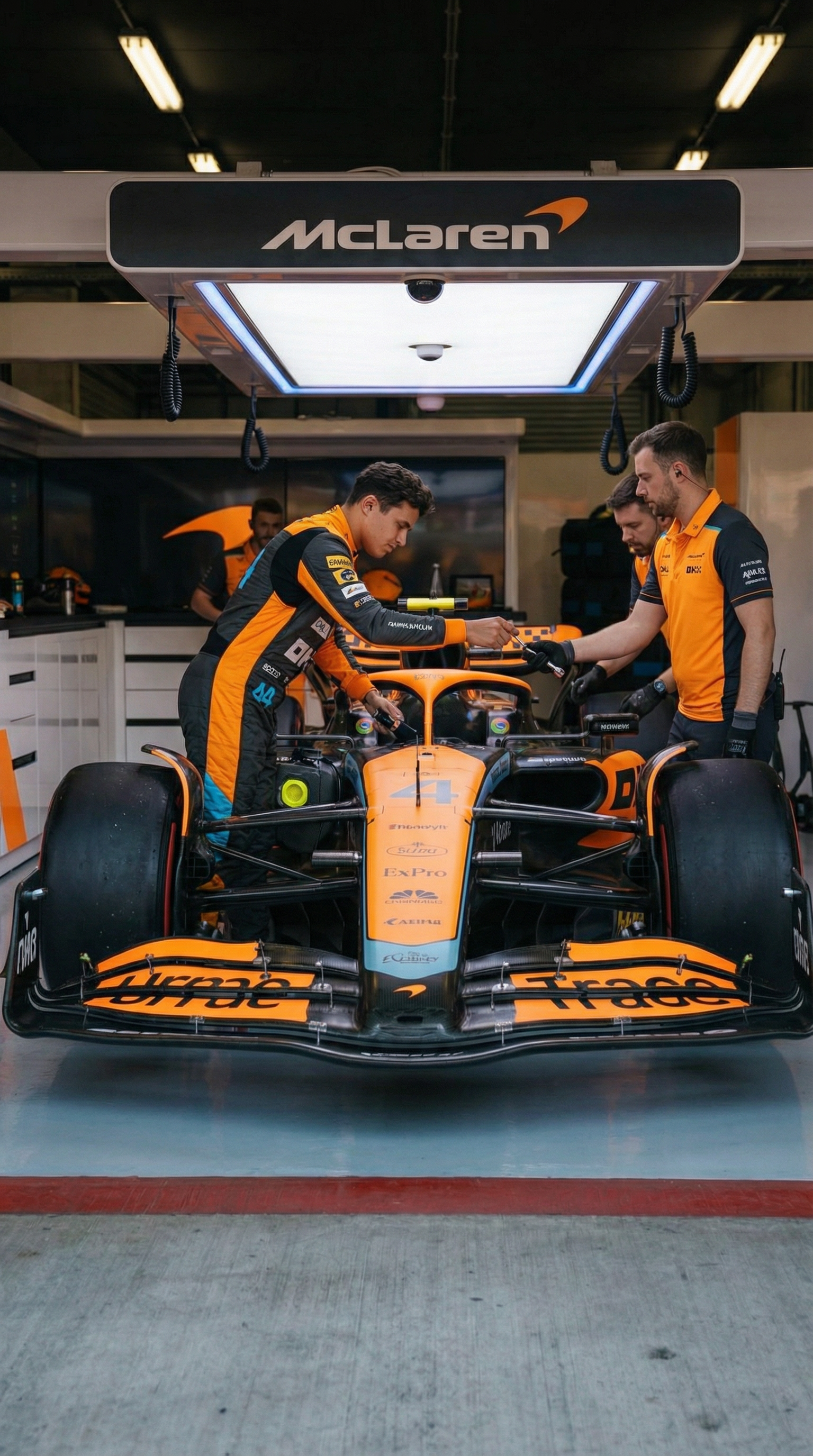
📋 Image Prompt — McLaren
Keep the exact framing and perspective from img1. Lando Norris (originally positioned left beside the car) is now standing together with the woman from img2, centered (IMPORTANT: in the middle of the image) directly in front of the nose cone.She is wearing a orange top, elegant black pants and orange shoes.Both are standing on the red line, posing for a photo. In the background, the mechanics from the right side are actively working on the car, but their positions, poses, and body orientations must be slightly different from img1. They should appear naturally repositioned, mid-action, with subtle movement variations — not identical to the original image.
Copied!
📋 Video Prompt — McLaren
On the left side of the car, partially in shadow near the front-left wheel, a Formula 1 driver Lando Norris in a a orange and dark grey racing overall with sponsor patches is already present. He appears focused, checking something near the front suspension, slightly bent forward. Then he steps around the front-left tire, and walks forward into the main light. A woman jogs in from the left side, and walks confidently toward the nose of the car. As she reaches the front, she slows down, turns toward camera with a natural smile. At that moment, The driver Lando Norris joins her at the center front of the car.
⬇️Save this reference image — you'll need it as Image 1
📋 Image Prompt — Mercedes
Keep the exact framing and perspective from img1. George Russell (originally positioned right beside the car) is now standing together with the woman from img2, centered (IMPORTANT: in the middle of the image) directly in front of the nose cone.She is wearing a dark green top, black jeans and black high heels.Both are standing on the red line, posing for a photo. In the background, the mechanics from the right side are actively working on the car, but their positions, poses, and body orientations must be slightly different from img1. They should appear naturally repositioned, mid-action, with subtle movement variations — not identical to the original image.
Copied!
📋 Video Prompt — Mercedes
On the right side of the car, partially in shadow near the front-left wheel, a Formula 1 driver George Russell in a black racing overall with sponsor patches is already present. He appears focused, checking something near the front suspension, slightly bent forward. Then he steps around the front-right tire, and walks forward into the main light. A woman jogs in from the left side, and walks confidently toward the nose of the car. As she reaches the front, she slows down, turns toward camera with a natural smile. At that moment, The driver George Russell joins her at the center front of the car.
⬇️Save this reference image — you'll need it as Image 1
📋 Image Prompt — Aston Martin
Keep the exact framing and perspective from img1. Fernando Alonso (originally positioned left beside the car) is now standing together with the woman from img2, centered (IMPORTANT: in the middle of the image) directly in front of the nose cone.She is wearing a dark green top, black skirt and dark green high heels.Both are standing on the red line, posing for a photo. In the background, the mechanics from the right side are actively working on the car, but their positions, poses, and body orientations must be slightly different from img1. They should appear naturally repositioned, mid-action, with subtle movement variations — not identical to the original image.
Copied!
📋 Video Prompt — Aston Martin
On the left side of the car, partially in shadow near the front-left wheel, a Formula 1 driver Fernando Alonso in a green racing overall with sponsor patches is already present. He appears focused, checking something near the front suspension, slightly bent forward. Then he steps around the front-left tire, and walks forward into the main light. A woman jogs in from the left side, and walks confidently toward the nose of the car. As she reaches the front, she slows down, turns toward camera with a natural smile. At that moment, The driver Fernando Alonso joins her at the center front of the car.
Use the last frame of the previous garage's video as the Start Frame, and the first frame of the next garage's video as the End Frame. Kling will generate a smooth camera pan between them.
How It Works
Start Frame Red Bull Result
→
End Frame Ferrari Garage
📋 Transition Prompt
the camera moves to the right side, showing the next f1 garage
 Mia MaldiniTutorial