Two prompts. The first paints the
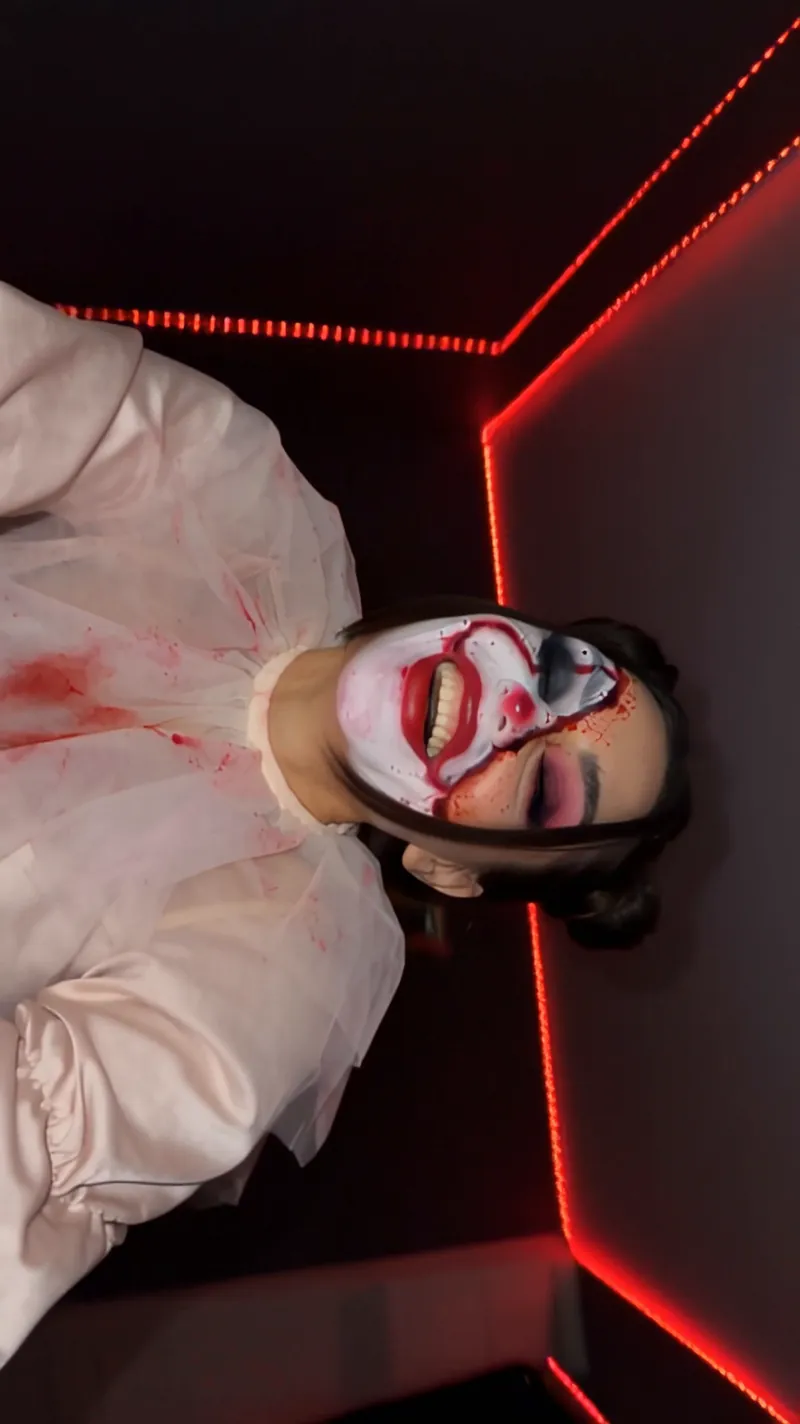
Halloween face, the second hands both faces to Genjutsu, which copies the motion of a clip you
already have and swaps the look mid-turn.
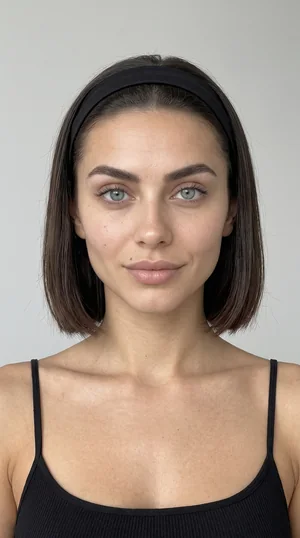
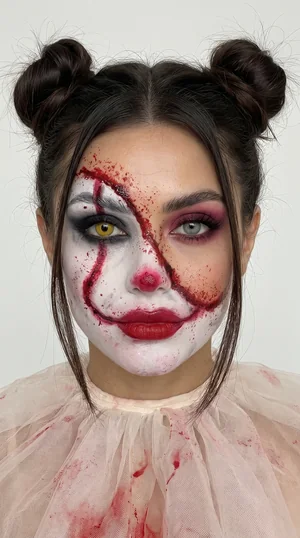
GPT Image 2.5 Sunburst, 9:16. Your face goes in as @image1, the Halloween look you want as @image2. What comes out is one portrait in full makeup, straight on, both eyes open. That portrait carries the whole second half of this edition, so get it right before moving on.
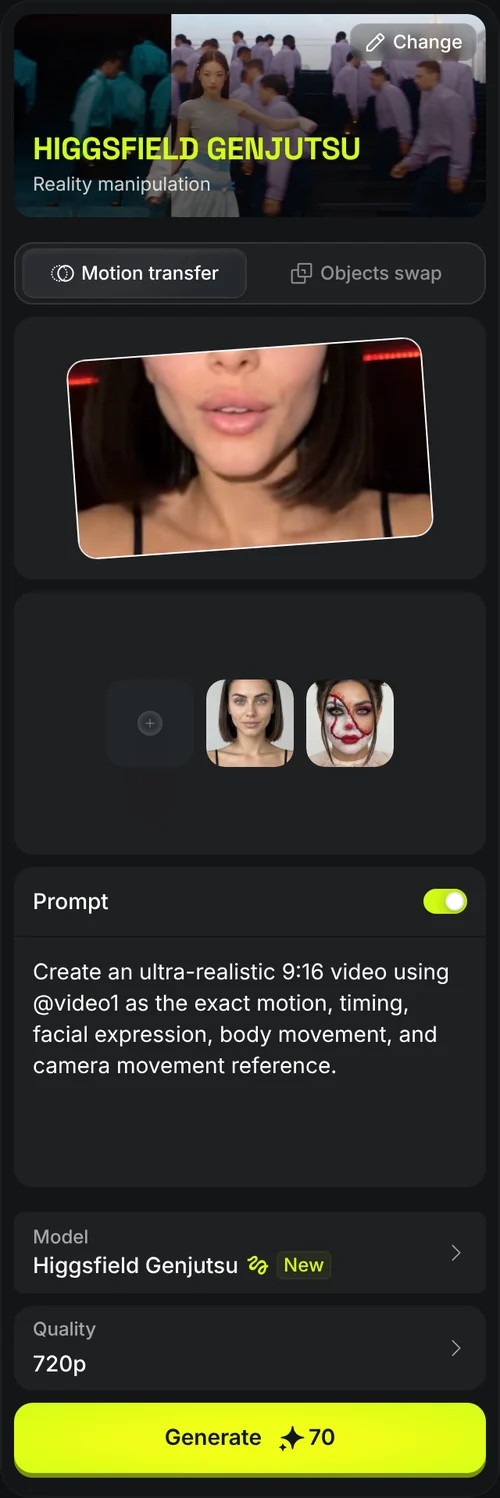
Genjutsu does not invent a shot, it borrows one. Load the reference clip, your plain face and the painted portrait, switch the prompt on and paste it. Genjutsu keeps the motion, the timing and the room, and replaces who is standing in it.
Two images in, one portrait out, one clip after that
Your face
+
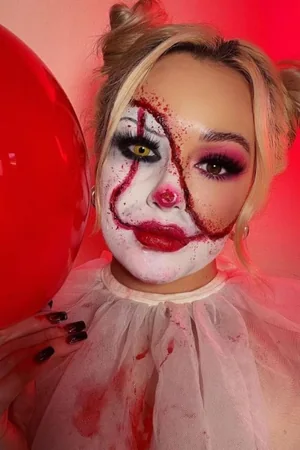
The look
=
Step one
→
Your clip
Prompt one of two
GPT Image 2.59:16Still image
The Image
One portrait, front on,
both eyes open. The prompt says the same thing in four different ways on purpose: the face comes
from @image1
and nothing else, the makeup and the outfit come from
@image2
and nothing else. That repetition is what stops the two faces from blending.
Result
Model
GPT Image 2.5 Sunburst
Ratio
9:16
Load these two
@image1Your faceYour own
@image2The look
Any look works
The prompt never names the makeup. It only says: take it from
@image2. Drop in a different Halloween reference and you
get a different face, same recipe.
The image promptScroll to read
Use @image1 as the only identity reference for the person. Use @image2 only as the makeup reference.
Preserve the person from @image1 exactly. The final result must keep only the facial identity from @image1, including face shape, facial structure, eyes, nose, lips, eyebrows, skin tone, natural proportions, and overall recognizable appearance. Do not blend, mix, or borrow any facial features, bone structure, skin tone, or identity traits from @image2. The person in the final image must clearly be the same person as in @image1.
Hair: Keep the hair identity from @image1. Preserve the original hair color from @image1 exactly, as well as the natural hairline and overall identity of the person. Do not copy or transfer the hair color from @image2. If needed, only adapt the hairstyle shape from @image2, while keeping the hair color and overall identity from @image1. The result must never take the hair color from @image2.
Makeup: Transfer only the makeup design from @image2. Recreate the visible makeup look as accurately as possible, including colors, shapes, face paint, eye makeup, lashes, contact lens effect, lip design, special effects makeup, decorative elements, textures, and placement. The makeup should be applied onto the face of the person from @image1 without changing their identity.
Outfit: Recreate the outfit and accessories from @image2, preserving the visible design, silhouette, materials, and styling details, while adapting them naturally to the person from @image1.
Pose and composition: Create a straight, front-facing portrait of the person looking directly into the camera with both eyes open. Head upright, shoulders balanced, neutral expression, relaxed lips. Frame from the top of the hairstyle down to the upper waist, clearly showing the makeup and upper outfit.
Photography: Ultra-realistic iPhone portrait photography, soft even frontal lighting, simple neutral background, authentic skin texture, visible pores where appropriate, realistic makeup application, detailed hair strands, and natural proportions. Matte, lifelike skin finish, subtle grain, and the look of a real photograph.
Reference priority:@image1 defines the entire identity of the person, including facial features, skin tone, and hair color. @image2 defines only the makeup and outfit. Do not mix the face with @image2. Do not take the hair color from @image2. Important: @image2 must influence only the makeup and outfit. The final face must be 100% based on @image1. No facial blending with @image2 is allowed.
Download it further down this page, then drop it in.
3
Add the two images
Your face first, then the portrait from step one.
4
Switch the prompt on
Paste in the prompt from below and click generate.
The video promptScroll to read
Create an ultra-realistic 9:16 video using @video1 as the exact motion, timing, facial expression, body movement, and camera movement reference.
Replace the original woman with the woman from @image1, using TWO distinct appearance references within the SAME continuous video.
**LOOK 1 — @image1 (BEFORE TRANSFORMATION)**
At the beginning of the video, the woman must look exactly like @image1. Preserve her exact facial identity, facial features, eye color, skin tone, hairstyle, hair color, hair length, makeup, outfit, accessories, and natural body proportions.
Follow the original woman's head movements, expressions, gestures, and timing from @video1 precisely. Her appearance must remain completely consistent with @image1 throughout the first part.
**LOOK 2 — @image2 (AFTER TRANSFORMATION)**
At the exact moment the original woman changes her appearance in @video1, the woman must instantly transform into the second appearance shown in @image2.
Recreate the complete second look exactly as shown in @image2, including the makeup design, makeup colors, hairstyle, hair accessories, outfit, costume details, and overall visual styling.
Preserve the woman's underlying facial identity, facial structure, eye shape, nose, lips, skin tone, and natural facial proportions from @image1.
The makeup and styling from @image2 must be applied to the same woman from @image1. Her face must remain recognizable as the original person, without adopting the facial features or identity of the person shown in @image2.
Keep her original hair color from @image1 while recreating the hairstyle shown in @image2. Adapt the hairstyle naturally to her original hair length and texture.
**TRANSFORMATION TIMING**
Follow the original video's transformation timing exactly. The change from LOOK 1 to LOOK 2 must happen instantly during the same head movement as the original video.
Before the transformation, use ONLY the complete appearance from @image1. After the transformation, use the styling from @image2 while preserving the original facial identity and hair color from @image1.
The transformation must be a clean, seamless, instantaneous appearance switch, with no gradual morphing, no intermediate appearance, no crossfade, and no blending of the two looks.
**CAMERA AND ENVIRONMENT**
Preserve the exact camera movements, perspective, framing, and timing from @video1.
Place the entire scene inside a dark, realistic bedroom or personal room at night, similar in atmosphere and layout to the original video, but replace the original blue neon lighting with subtle deep-red LED strip lights.
Thin horizontal red LED light strips run along parts of the back wall, creating soft red lines of light against the dark surroundings. The room remains predominantly dark, with subtle shadows, realistic furniture silhouettes, and a slightly mysterious late-night atmosphere.
The red LED lighting creates a gentle ambient glow in the background, while soft, neutral frontal illumination keeps the woman's face naturally visible and detailed. Avoid excessive red color casts on her skin.
The background, red LED strips, room layout, lighting, and shadows must remain completely consistent throughout the entire video, including during the transformation. No environmental changes or lighting flashes during the appearance switch.
Maintain natural, physically realistic head movement, hair movement, facial expressions, and body proportions. Keep all movements synchronized with the original video.
**REALISM**
Authentic smartphone video appearance, realistic skin texture, natural facial anatomy, detailed makeup application, consistent facial identity, and seamless motion.
No additional cuts, no camera jumps, no identity changes, no face distortion, no hairstyle blending, no outfit blending, no artificial smoothing, no subtitles, and no logos.
**REFERENCE PRIORITY**@video1 = Motion, facial expressions, timing, transformation moment, and camera movement ONLY.
@image1 = The woman's permanent facial identity, natural facial anatomy, skin tone, original hair color, and complete appearance before transformation.
@image2 = Makeup, hairstyle, outfit, and visual styling AFTER transformation ONLY.
The final video must show the SAME woman from @image1 throughout the entire sequence, with only her appearance changing at the exact transformation moment.